

When you enter an email address on a web page, it is very important that the final address link on the page includes the prefix: mailto: before the email address. If it does not, the email address may be interpreted as a web page instead which of course will result in a ‘broken link’ and frustration for the end-user. An example of forgetting to include mailto: in the address occurs in your gold box department information. In the example below, the mail icon points to an address that begins with: https://www.ocps.net/cms/…
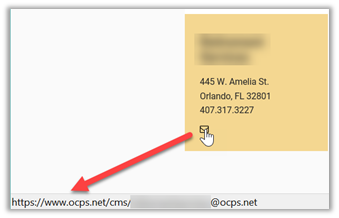
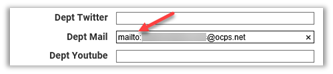
This is because the email address was entered without the prefix. By simply going back into the properties of this web part and changing the link to add mailto: before the email address, you can quickly fix this problem. (Note: there is no space between ‘mailto:’ and the person’s email address.)
When entering an email address in a content area like the Page Content area or a Content portlet, be sure to first click on the E-mail tab at the top of the Hyperlink Manager:
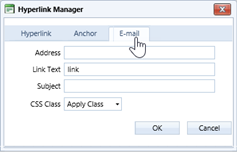
You can then enter the person’s email address in the Address box WITHOUT the mailto: prefix which the Hyperlink Manager applies automatically. If you include mailto:, you will get something that looks like:
mailto:mailto:someone@ocps.net
which of course will also fail to open an email to that person.
Bottom line (literally) check your links before publishing your content.