

In auditing hundreds of web pages over the past few weeks, I noticed several cases in which the email address includes an ‘extra’ prefix: ‘mailto:’. This can occur in any one of several ways.
-
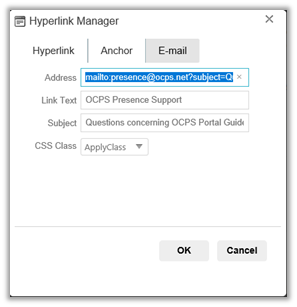
The person entering the information in the Hyperlink Manager is not aware that the ‘mailto:’ prefix should not be entered in the Hyperlink Manager dialog as shown below.
-
Or the person is using either IE or EDGE as their browser and right clicked the email address on another page that displayed the email address and selected either Copy Link (Edge) or Copy Shortcut (IE). Both browsers result in the string ‘mailto:’ being included with the copied email address text. This causes a problem when pasted the address into the Hyperlink Manager, problem that does not occur if you are using Chrome, Firefox, or Safari.
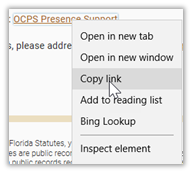
Being aware of the problem, you could remember to remove the ‘mailto’ prefix after you paste it in the Hyperlink Manager. But that is not a reliable solution. So how could you copy a link reliably no matter what browser you use? You can avoid this problem entirely by following these steps:
- Select the email address from any web page by dragging through it
- Press CTRL-C or right click and select Copy, not Copy Link or Copy Shortcut to place the email address on the clipboard.
-
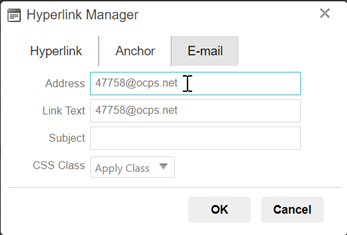
Now when you paste the contents of the clipboard, you will get only the email address, no prefix. (See URL box in the following image.)
-
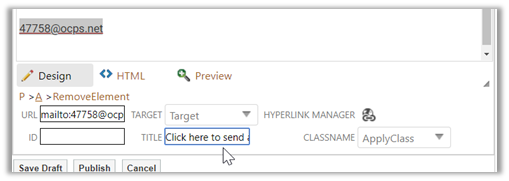
When you click OK, the content edit dialog shows the following information in the properties box at the bottom of the dialog when you click anywhere within the email link.
-
Note that before clicking Publish, you should add a TITLE property for the email link. The TITLE property displays as Alt-Text when the user hovers over the email link on the web page.
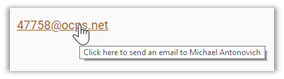
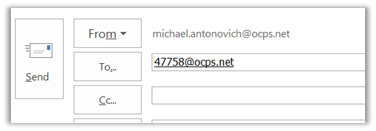
Now, when the user clicks on the email link, a proper email address without the prefix ‘mailto:’ appears in the TO: field of their mail program no matter which browser they started with.
Hopefully, this will eliminate most of the bad email addresses on many of our web site’s pages.