

What is a decorative image when applied to a webpage? It is any image that does not add information to the content of the page. It could be part of the page design such as a border around the page, a border around a paragraph or topic, or even horizontal or vertical lines that separate sections. Anything added to the page to make it more visually attractive is decorative. Some images may require extensive explanatory text that may already be on the page adjacent to the image. Since the content is already on the page, the image itself is simply decorative. It can also be an image that is included as part of a text link where the text in the link is already descriptive. In all of these cases, the alt attribute of the image can be set to a null value (alt=””) to indicate to users of screen readers that the image can be ignored. In fact, in these cases, any alt text would only serve to distract the user from the topic. On the other hand, you cannot simply leave out the alt attribute completely because some screen readers will then read aloud the image’s filename, which no one really cares about.
So again, what are some common types of images that are considered decorative?
-
Images used as part of the page design such as the line under the text ‘Quick Links’ in the following image is purely decorative as it adds nothing to the content.

-
Decorative images can be part of a text link such as the ones found in the Quick Links section.

-
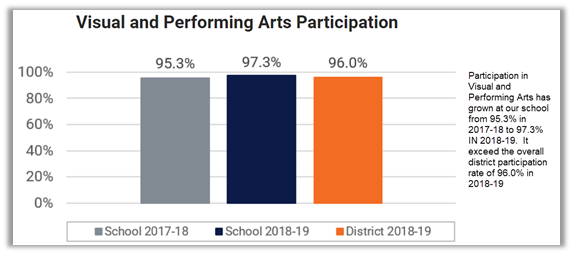
Images with adjacent text alternative
-
Often an image is used only for ambiance or to make the page more visually attractive. (Note this also the case with most banner images)
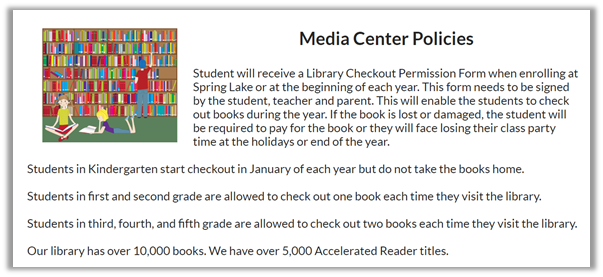
In each of these cases, the alt text for the image is simply alt=””. The title attribute is optional in these cases. If the title attribute is present, it must also be set to the null string. By the way, the null string is represented by a pair of double quotes with no characters between them. It is not represented by alt=null or alt=”null”. Therefore as an example, the HTML for the image in the last example above would be:
<img src=”/UserFiles/Servers/Server_80110/Image/Spring%20Lakes%20Home/Media%20Center/Policies/j0439526.jpg” alt=”” title=”” style=”width: 30%; height: 21%; float: left;”>
Next time, I’ll take a ‘look’ at functional images.
Return to the beginning of the Alt Text Series.