

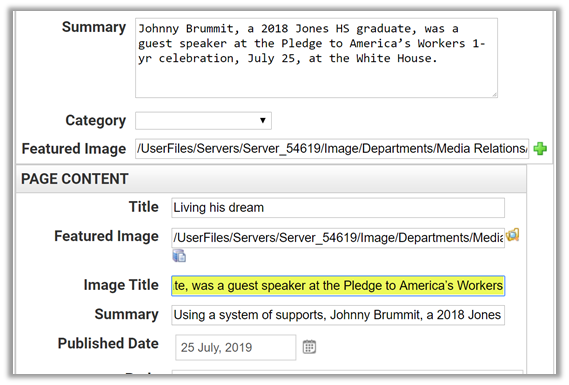
If you are using the Advanced Data Display portlet either on a standalone page or as part of a News Content page, you may have added a Featured Image to Page Content area. If you did, you still need to supply Alt-text for this image. “Where?” you ask. There is no field for Alt-text in the dialogue that prompts for the other page content. Well, in this case the Image Title field is used as the Alt-text field and must contain text descriptive of the image. As shown in the following image:
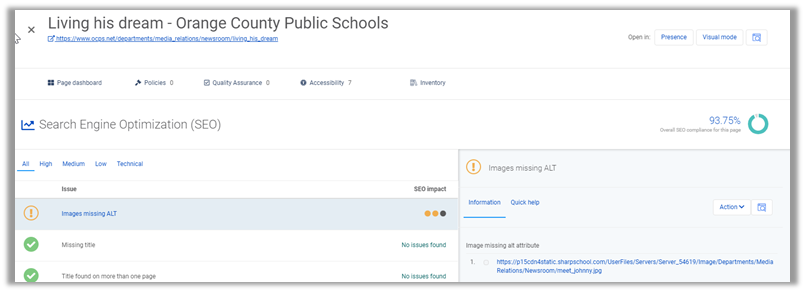
If you do not do this, you will get an error message in your Monsido report similar to the one shown below that says: Images Missing ALT.
What if the image is purely decorative? Unfortunately, at this time there is no way to indicate this when filling in the page data. If you do not include the Image Title field, the image does not get an ALT tag at all. (Remember from the prior post that a decorative image needs to say: alt=”” – https://wordpress.ocps.net/presenceblog/all-img-elements-must-have-an-alt-attribute/)
Therefore, when using the Advanced Data Display, always supply meaningful ALT text for the featured image to avoid this ADA Accessibility error. Do NOT simply say: ‘Image’.