

For today’s look at ADA/Accessibility issues reported by Monsido, I have chosen an error that is simple to fix. This error occurs when users or applications attempt to use the BLOCKQUOTE tag to indent text. This is invalid. BLOCKQUOTE can only be used when citing quotations from people or sites and it requires a CITE attribute. You may not use it simply to indent a paragraph or a series of paragraphs. The correct way to indent text is to first select the text and then click the INDENT button in the Presence Edit Menu Bar as shown in the following image.
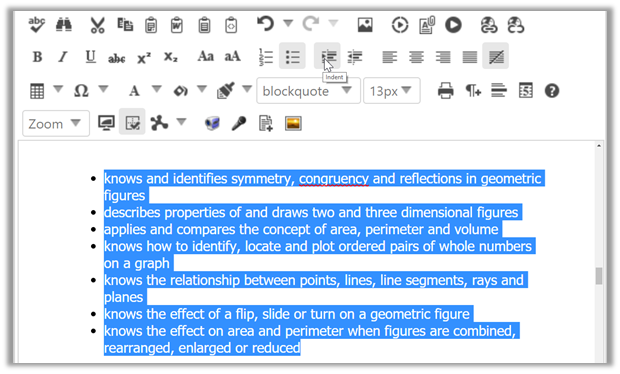
To correct this issue that may be displayed in your Monsido reports, you may have to go into the HTML of the content. There you can physically remove the BLOCKQUOTE tags as shown in the highlighted text below:
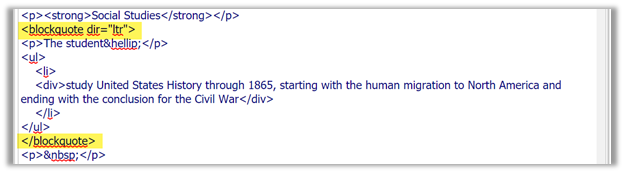
If you are using a content editor other than Presence, you cannot simply copy and paste content from that editor. This practice often includes accessibility violations like the one described above. Only paste plain text into the Presence content portlet or simply create the content within the Presence Content Portlet in the first place using the tools in the edit menu bar to format your content and to totally avoid issues like this.